


AULA Blue Switch – Addictive Typing Experience with a Metal Frame
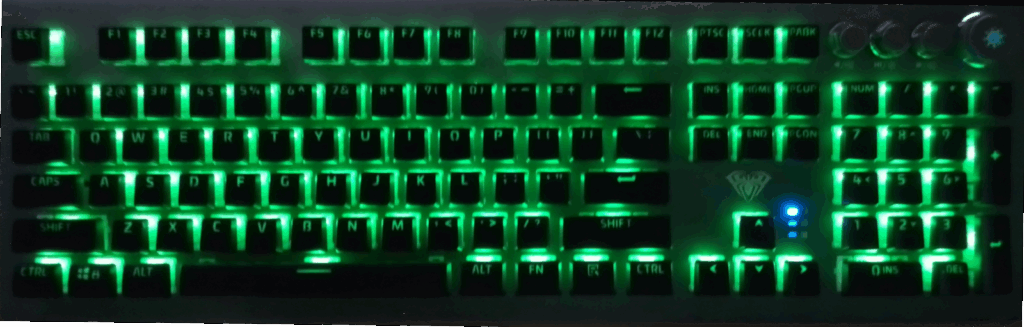
I had always been curious about mechanical and gaming keyboards, but this was actually my very first time using one.
With a regular keyboard, I never felt limited—but once I tried the AULA Mechanical Gaming Keyboard (Blue Switch), I quickly realized how addictive it can be.
First Impressions
Typewriter-like tactile feel – every keystroke has a crisp, satisfying click.
Shutter-like feedback – reminiscent of pressing the shutter button on a high-end camera.
Eye-catching backlight – RGB illumination that makes your setup pop.
Premium metal frame – cool to the touch, solid and stylish.
This is the kind of keyboard that makes you think:
👉 “There’s no going back to a regular one.”
🔥 Key Features of the AULA Mechanical Gaming Keyboard
AULA is not just another budget mechanical keyboard—it comes loaded with gamer-friendly features:
N-Key Rollover – accurate recognition even with multiple keys pressed.
10+ RGB lighting modes – from breathing effects to wave patterns.
Customizable software – fine-tune lighting, macros, and shortcuts.
Dedicated Game Mode – highlight only WASD, Shift, or other key zones.
Multi-function dial – control volume, play/pause, or adjust brightness.
In short: visibility, control, and style—all in one affordable keyboard.
👤 Who Is This Keyboard For?
Anyone curious about mechanical key switches (especially Blue Switch lovers).
Gamers looking for fast response and accurate key recognition.
Users who love RGB lighting to brighten their setup.
People who want a solid, heavy, reliable keyboard for both gaming and office work.
Number-crunchers and business users who rely on the numeric keypad.
Fans of metal frames and sturdy design.
Creators who like to type quickly and capture ideas instantly (Notion, notes, writing).
Power users who frequently use shortcuts and macros.
Those who value easy-to-clean keyboard layouts.
Linear Switches
Light keypress, minimal click sound
Examples: Red, Black, Silver
Best for: Fast-paced games (FPS),quiet environments
Clicky Switches
Crisp tactile feedback with an audible “click”
Examples: Blue, Green, Gold
Best for: Typing enthusiasts, users who enjoy a strong key feel
Tactile Switches
Balanced feel, between linear and clicky
Examples: Brown, Purple, White
Best for: General use, a mix of gaming and productivity
🔧 AULA F2098 Basic Specs
Included Accessories
- Wrist rest
- User manual
- Replacement parts
Specifications
- Interface: USB 2.0 (wired)
- Layout: English 108-key layout
- Keystroke travel: approx. 4.0 mm
- Actuation force: 60g ±10g
- Durability: 60 million key presses
- Dimensions: 458 × 149 × 39.3 mm
- Weight: Approx. 1,130 g
- OS Support: Windows 8 / 10 / 11
🖥️ Hands-on Impressions
- Plug-and-play: Instantly recognized via USB connection
- Durable cable: Thick, sturdy cable with AULA logo cable clip
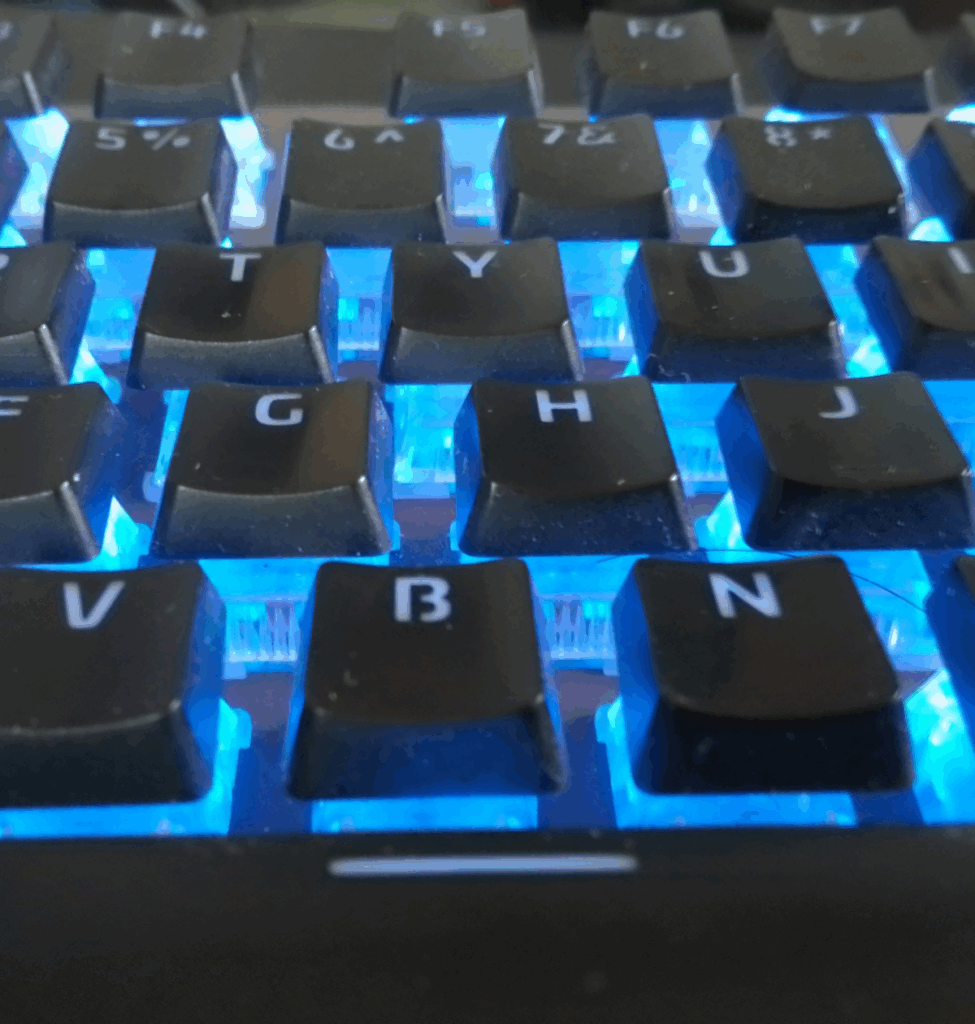
- Blue switches: Light, crisp keystrokes with a satisfying “click” sound
- Easy to clean: Floating key design prevents dust buildup
- Comfortable spacing: Wider key spacing makes typing easier, especially for larger hands
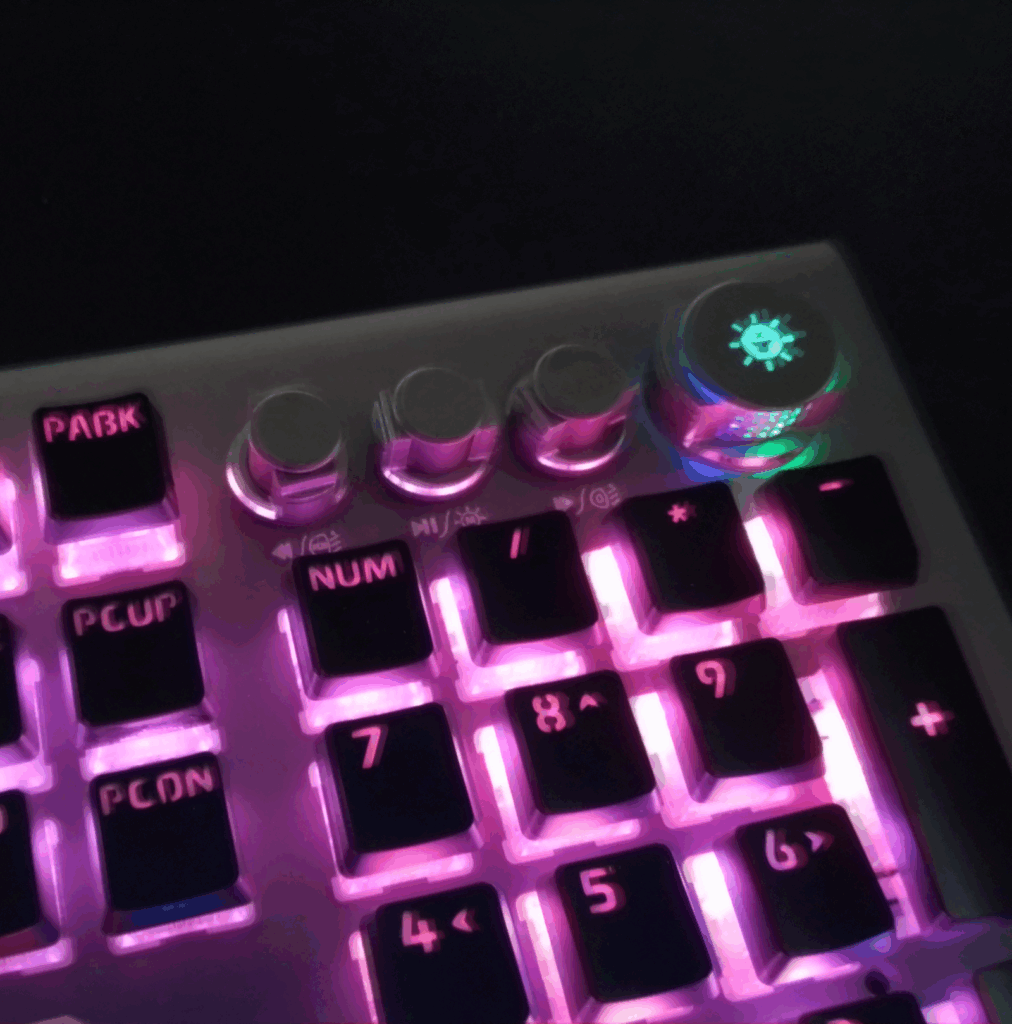
- Dynamic backlight: Vibrant RGB illumination, customizable by mood or style (never gets boring)
- Custom software: Fine-tune lighting patterns and key settings with AULA’s software
- Wide space bar: Extra-large (about 7 standard key widths), making it easy to press with your thumb
💡 Why You Should Buy It Now
- Better value: Since it’s not the newest model, you may find it at a more affordable price if stock is available.
- Unique design: Surprisingly few gaming keyboards feature a metal frame, giving this one a premium feel.
- Proven quality: On Amazon, it has hundreds of reviews with an average rating of around ★4.5.
AULA Keyboard Core Button Functions
The AULA L2098 features four Core dials (multi-function knobs) that allow you to switch modes and customize illumination.
Below is a simplified guide based on the official manual:
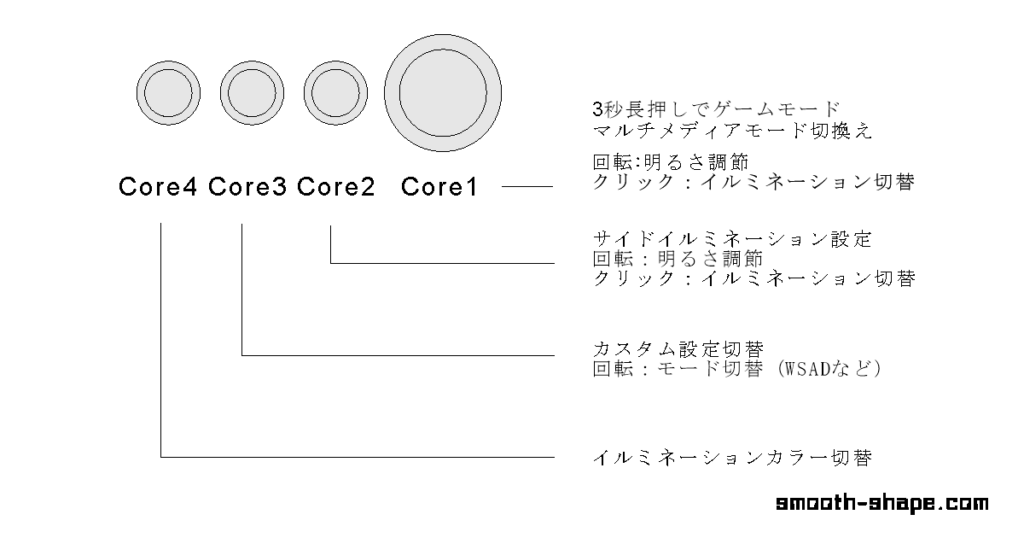
Core 1
- Long press (3 sec): Switch between Game Mode and Multimedia Mode
- Rotate: Adjust brightness
- Click (short press): Change illumination style
Core 2
- Side illumination control
- Rotate: Adjust brightness
- Click: Change illumination color
Core 3
- Custom settings control
- Rotate: Switch between custom profiles
Core 4
- Illumination color control
- Click/Rotate: Cycle through colors
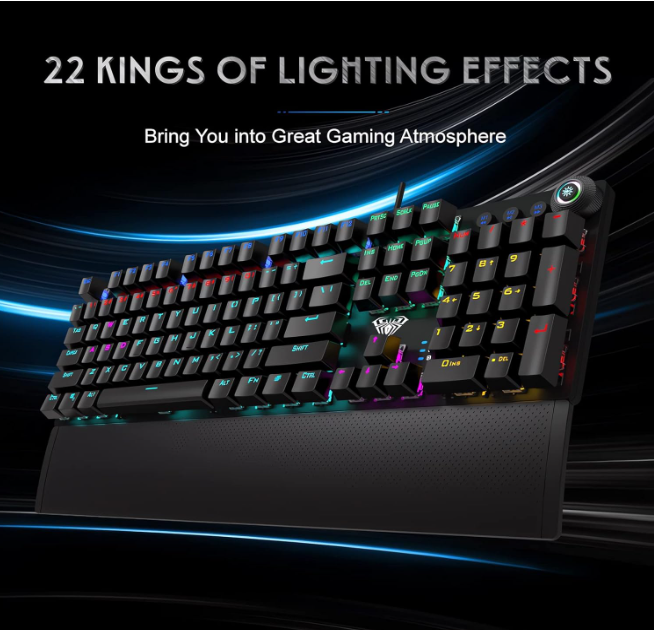
Looking for the latest AULA Mechanical Gaming Keyboard?
✅ Compatible with Windows & Mac
✅ Affordable mechanical option with metal frame
PHOTO:AMAZON
Supplement: Major Gaming Keyboard Brands & Popular Models
Here’s a quick comparison of well-known gaming keyboard brands, featuring popular models available on Amazon.
(Reference prices: ¥10,000 and above, with many user reviews. Note: Cooler Master and Buffalo don’t have models above ¥10,000, so representative products are listed.)
💻 Gaming Keyboard Price Guide
- ~ $100: Entry-Level Models
Perfect for first-time buyers. Standard models from major brands and cost-performance options are common in this range. - $100–$200: Standard Models
Balanced in typing feel, durability, and RGB illumination. The most popular price range among gamers. - $200+: High-End Models
Designed for pro gamers and streamers. Premium features like advanced customization, special switches, and aluminum frames.
| Manufacturer | Model | Switch / Key Features | Rating | Approx. Price |
|---|---|---|---|---|
| Razer | BlackWidow V3 | Razer Yellow switch, Aluminum top plate | ⭐4.5 | $80 |
| Corsair | K70 | Cherry MX RGB SPEED Silver switch | ⭐4.4 | $145 |
| SteelSeries | Rapid Trigger | OmniPoint switch, OLED display | ⭐4.1 | $240 |
| Logitech G | GPRO/ PRO X | GX Linear switch, Detachable cable | ⭐4.5 | $93 |
| HyperX | Alloy Origins | HyperX Red Mechanical switch, Compact model | ⭐4.4 | $80 |
| Cooler Master | CK530 V2 | Red switch, mainly gaming peripherals | ⭐3.8 | $67 |
| Topre | REALFORCE | Electrostatic capacitive non-contact switch | ⭐3.8 | $147 |
| Buffalo | Gaming Model | Compatible with Windows / PS4 / PS3 | ⭐4.0 | $31 |
| ELECOM | VK720a | Magnetic analog detection switch | ⭐4.7 | $220 |
| Redragon | K710 | Typewriter-style round keys, Retro metal panel | ⭐4.4 | $79 |
| AULA | F75 | 5-layer pad, Multimedia control dial | ⭐4.4 | $93 |
| Ducky | ONE Pro mini | Silver switch, One series | ⭐4.1 | $113 |
| Keychron | K2 | Gateron G Pro Mechanical switch (Blue) | ⭐4.6 | $120 |
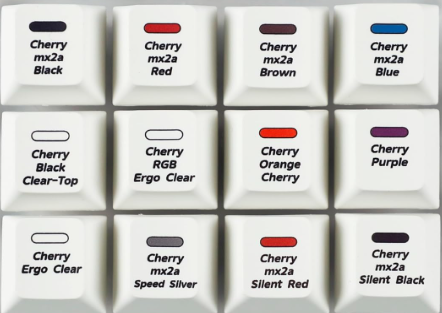
Try a “Switch Tester” Before Choosing Your Keyboard
Mechanical keyboards vary a lot depending on the switch type—Blue, Red, Brown, etc.—affecting both the key feel and the sound.
If you’re curious but not sure which switch to choose, a switch tester can help you decide.
Link Text: YMDK Cherry MX2A Switch Tester – 12 Key Mechanical Switch Test Tool Included
